Desktop Markdown-native
Kuro
The thousand-task planner
Kuro keeps your tasks as plain markdown files in your own folders, and puts you and your agents over the same store: a keyboard-driven desktop app for you, a CLI and an MCP server for them. Agent work queues up in one place, and nothing lands without your verdict.
Linux x86_64 today · macOS & Windows pending the parity run
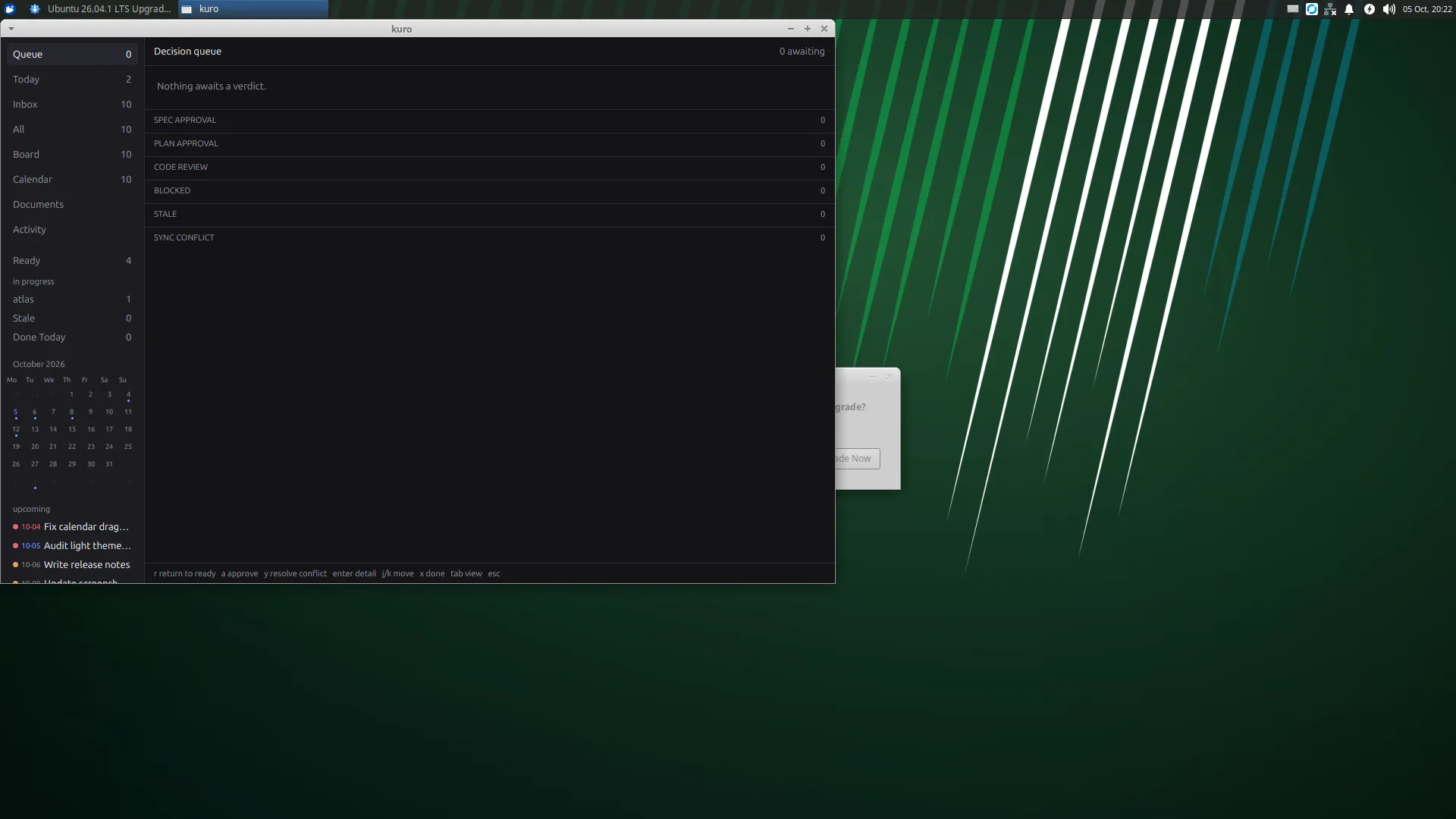

The decision queue is the landing view: agent work waits here, grouped and gated, until you approve or return it.
Get started
Download. Init. Plan.
-
1
Download the release
One tarball from the v0.1.0 release, with the app, the CLI, and the sidecar bundled. Linux x86_64 today; mac and Windows builds are pending the parity run.
curl -LO https://git.etelej.com/peteretelej/kuro-planner/releases/download/v0.1.0/kuro-planner-v0.1.0-x86_64-unknown-linux-gnu.tar.gz
tar xzf kuro-planner-v0.1.0-x86_64-unknown-linux-gnu.tar.gz
cd kuro-planner-v0.1.0-x86_64-unknown-linux-gnu
-
2
Create a store
A store is a folder with a tasks/ directory of markdown files. Commit it with your project, or keep it gitignored and sync it with your own transport.
./kuro-cli init ~/plans
-
3
Open it in the app
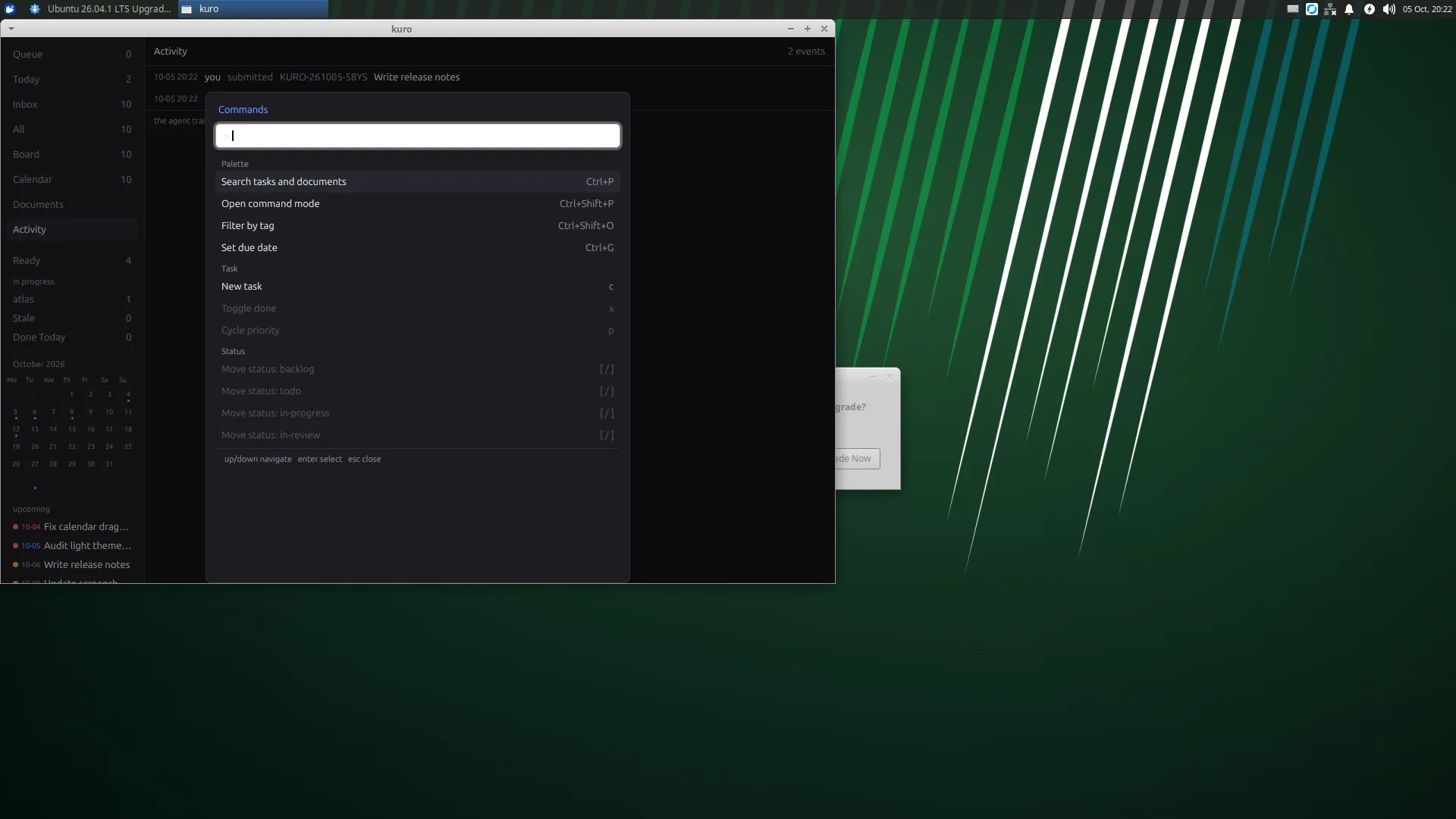
The decision queue is the landing view. Press
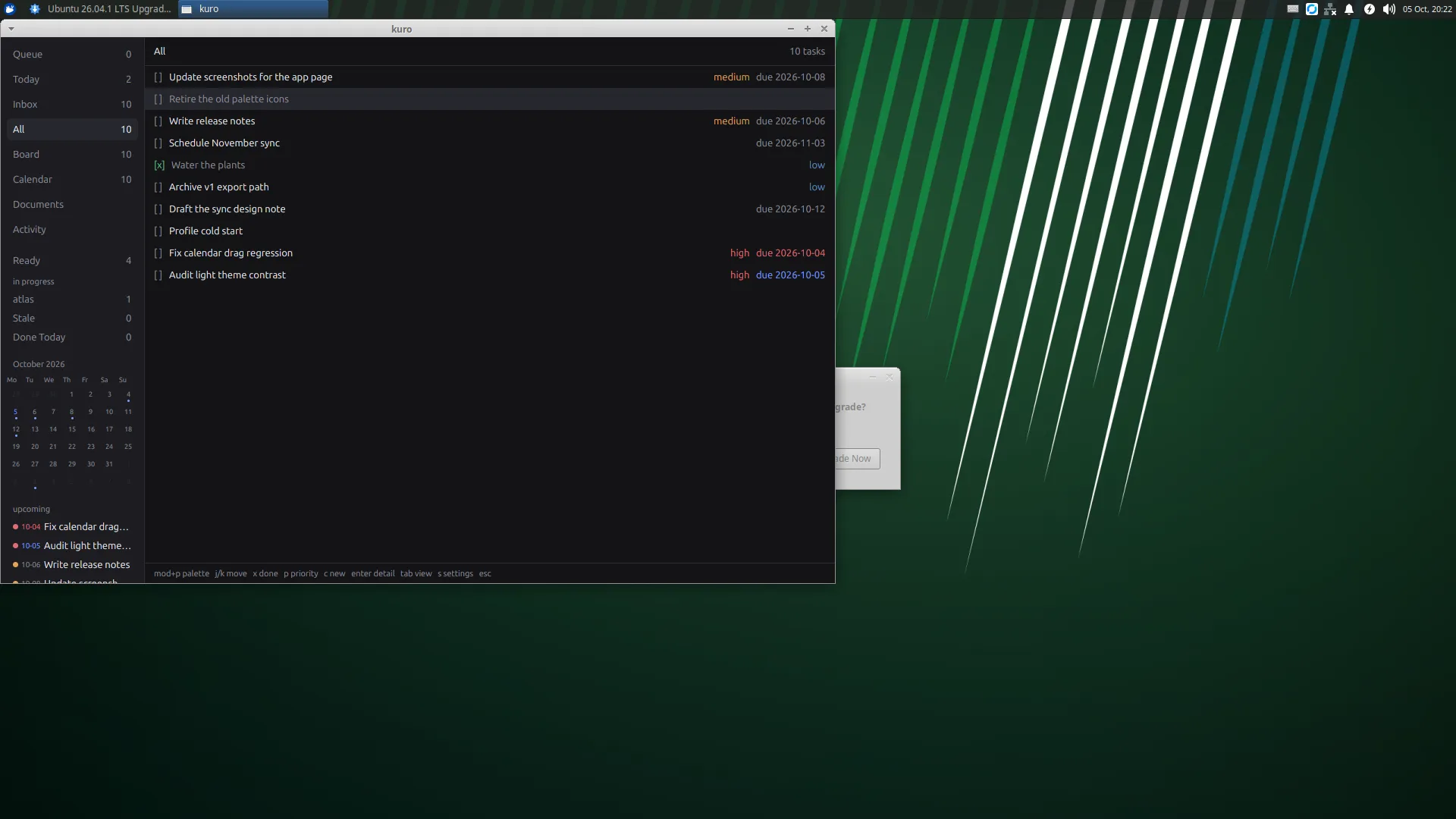
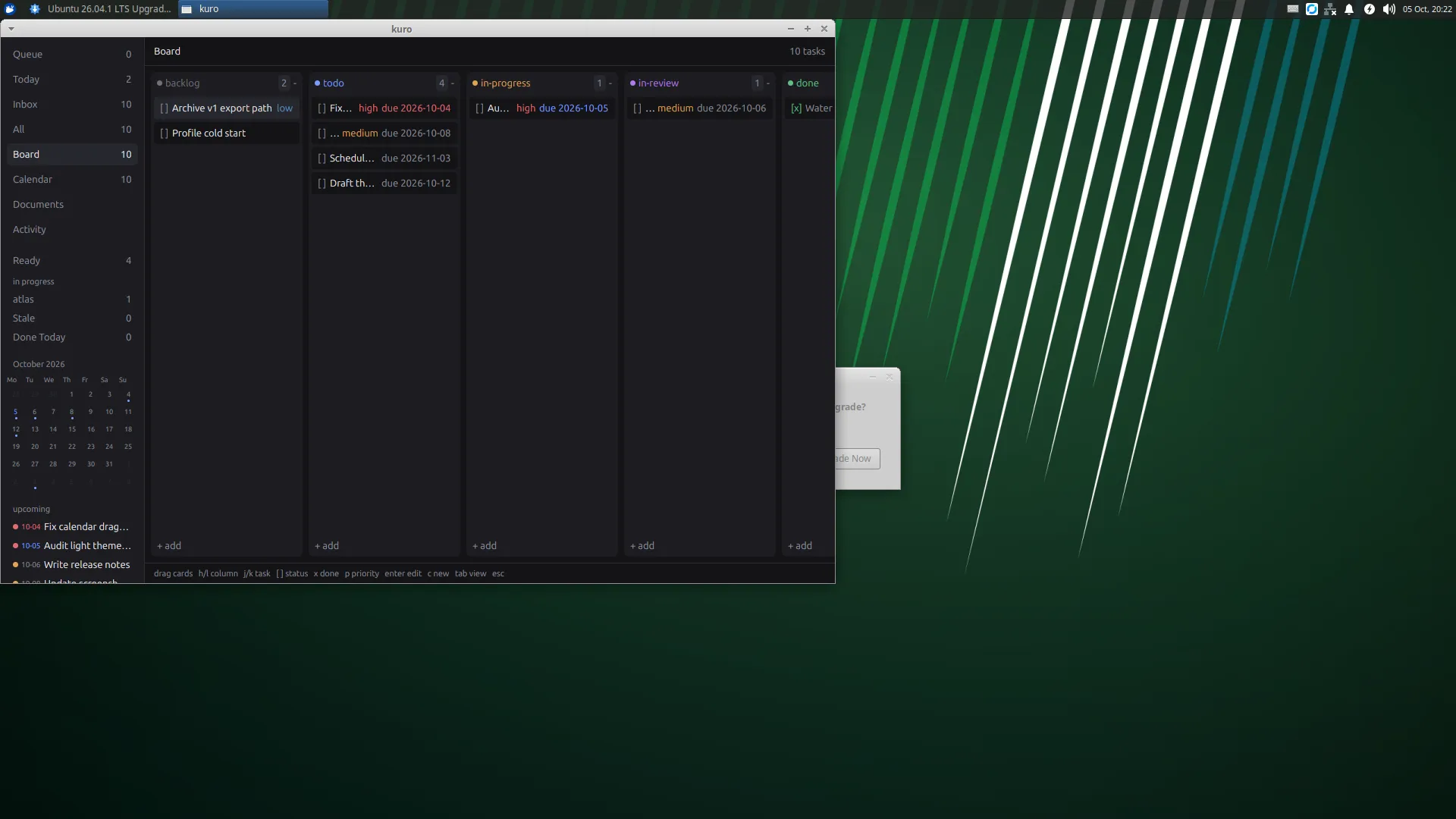
pfor the palette,2for the kanban board,3for the calendar; everything has a key../kuro ~/plans
-
4
Hand your agents the same store
One command writes the MCP entry for your client. Agents claim, work, and close tasks over MCP or the CLI; their verdicts queue up in the app for you.
./kuro-cli setup opencode
./kuro-cli setup claude
./kuro-cli setup cursor
01 / Plain markdown
Your tasks are files you already own.
Every task is one markdown file with typed frontmatter and a free-form body. Open it in any editor, grep it, diff it, commit it: the store is git-friendly by construction, with stable ids so nothing breaks when agents and humans edit the same file.
Field-level sync resolves conflicted edits after a merge; canceled ids are never recycled; and a freshness view tells you honestly when the app's picture is behind the files.
---
id: KURO-7F2K
title: "Draft the release notes"
status: in-review
priority: high
deps: []
labels: [docs]
created: "2026-10-05T09:14:00Z"
updated: "2026-10-05T11:02:00Z"
---
Body text, [[wiki links]], and checklists live here.
02 / Agent-native
Built for agents from the first commit.
A 16-verb CLI and an 8-tool MCP server speak the same store: agents list ready work, claim it with compare-and-swap so two agents never take one task, push it through review, and record what they did on an activity timeline you can read.
MCP serves over loopback HTTP with per-agent bearer tokens while the app runs, with a headless stdio fallback for cron jobs and pipelines.
$ kuro-cli ready --root ~/plans
KURO-7F2K  Draft the release notes   in-review
$ kuro-cli claim KURO-7F2K --agent codex
claimed by codex at 2026-10-05T11:04:00Z
$ kuro-cli comment KURO-7F2K --text "notes drafted, ready for review"
$ kuro-cli update KURO-7F2K --status in-review
03 / You decide
Agent work waits for your verdict.
When an agent hands work back, it lands in the decision queue instead of silently merging into your plans. Approve it, return it with a comment, or read the activity timeline first: the queue is the one surface where agent work meets human judgment.
04 / Local by construction
Your plans stay on your machine.
Kuro reads and writes your folders: the store is files you control, the sidecar indexes them locally, and the MCP server only ever listens on loopback with tokens you minted. There are no accounts and no telemetry.
Kuro
A thousand tasks, one queue.
v0.1.0 ships Linux x86_64; mac and Windows follow the parity run.